Fun Friday: Arranging Molecules with AI
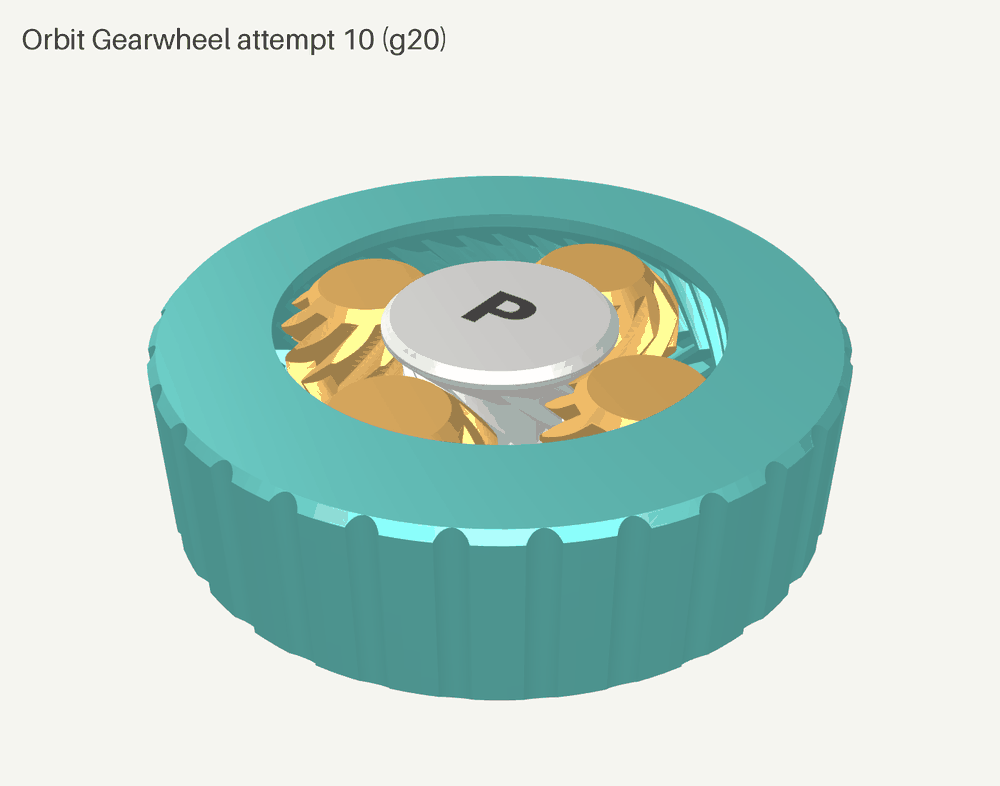
I already have AI building software at scale, so I wanted to see how much of an engineering team I can build with AI support on something physical. The test part is the Orbit Gearwheel, a 60 mm print-in-place disc where you hold a "P" sun gear, turn a thumb ring, and watch four herringbone planet gears orbit in a window. Fila designed, coded and tested it in CadQuery, and it took ten attempts and three real prints to get there. Here is the whole story, failures included, and the working pattern I expect to carry over to real engineering parts.
It started with a chat to Grok in the Tesla. Tony Stark has Jarvis, but I'm an Aussie, so my AI chief of staff on Grok Bot is Bruce. Bruce brought on a new team member, Fila, our AI 3D print builder. My wife, a kindy teacher, gave us the idea, and the new Bambu printer in the Pairti Lab meant we could make it.
The stack
Everything runs from Python scripts on one Linux machine, and a single script, run_all.sh, rebuilds the earlier attempts from source. Fila wrote all of it, including her own tests and checks, and I reviewed the results.
- CadQuery 2.8.0 on Python 3.13.5 builds the geometry, using a shared library,
orbitlib.py, for the involute gears, herringbone twist, ring, lip and "P" inlay. - CadQuery exports a STEP assembly with a colour per part and an STL per part, and trimesh 5.1.1 combines those into a single-colour STL and a multi-object 3MF.
- OpenCascade, through cadquery-ocp 7.9.3.1.1, measures the exact gap between every pair of bodies and confirms each solid is valid.
- trimesh checks every mesh for watertightness, a flat base and overhang angles.
- manifold3d 3.5.4 runs the escape test, sliding each gear in small steps until it meets another part.
- SciPy's linear programming solver runs the play analysis, which finds the worst-case wobble with every part free to move at once.
- pyrender 0.1.45 on headless OpenGL draws the renders, and matplotlib draws the 2D cross-sections.
- Bambu Studio 02.08.02.61 slices the part from the command line with the official Bambu Lab P2S 0.4 nozzle, 0.20mm Standard @BBL P2S and Bambu PLA Basic @BBL P2S profiles.
- The printer is a Bambu Lab P2S with an AMS 2 Pro for up to four colours.
Fila grew her own check set as the project went. After the smooth ring bore showed up in a render, she added the teeth probe. When I asked whether the gears were held in, she wrote the escape test. When the prints came back, she wrote tougher tests to explain what the prints showed.
1. Pick a CAD tool the AI can write as code
I chose CadQuery. It's Python, so the AI writes each part as a script I can read, compare and rerun, and it exports STEP, the format engineering parts travel in. Every attempt is its own small file, attempt1.py to attempt10.py, built on shared geometry code.
2. Write the checks before the first build
The brief asked for gaps of 0.3 mm between moving parts, walls of at least 1.2 mm, a flat base, and overhangs at 45 degrees or shallower. Each one became an automatic check that runs on every build:
- the exact gap between every pair of bodies
- every solid valid and watertight
- every part sitting flat on the bed
- an overhang scan at 45 degrees
- a wall thickness assert inside the build itself
The checks did most of the catching. Attempt 1 stopped at its own assert, because the 45 degree lip left 0.2 mm of material where the brief asked for 1.2 mm. Attempt 2 measured 0.247 mm between sun and planet, and attempt 5 measured 0.201 mm between ring and planet. Attempt 4 produced a broken ring solid overlapping the gears, and the validity flags caught it straight away. Attempt 6 came in at 0.280 mm and slipped through, so I held it to the brief's 0.3 mm, and attempt 7 met it.
3. Read every render, then turn what you see into a check
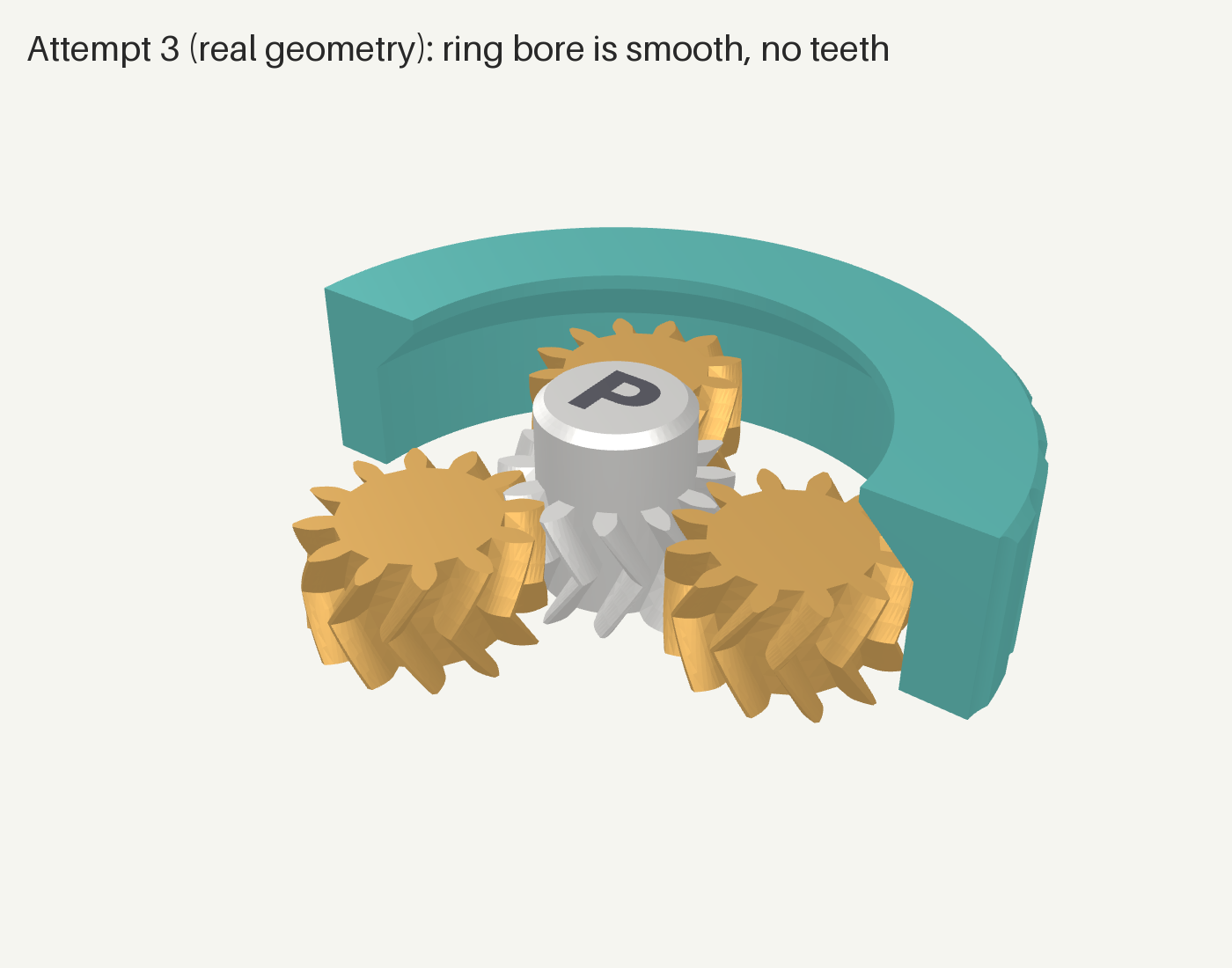
Attempt 3 passed every number. The cutaway render showed the ring bore came out smooth, because the ring's profile started at the tooth root radius, so the tooth cut had nothing to remove. We caught it on the render and added a teeth check that probes for ring material at the tooth tip radius. Now every build checks for teeth automatically. Each catch by eye becomes a check, and the check set grows with the project.
4. Keep an engineer in the review loop
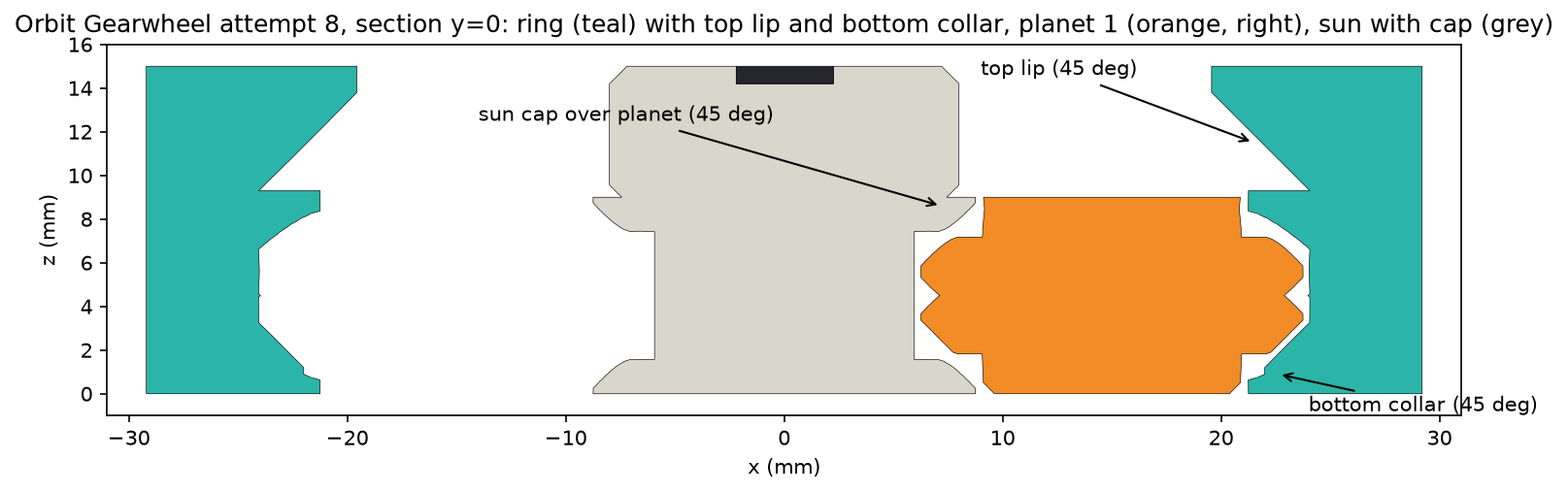
On attempt 7 I asked whether the gears were really held in. Fila answered it with an escape test. It moves each gear in 0.05 mm steps in each direction it tests and records the first collision. The test showed the herringbone teeth were holding the planets at the bottom, after about 0.65 to 0.75 mm of travel. I wanted a solid stop as well, so attempt 8 added a bottom collar on the ring and a 45 degree cap on the sun. With the teeth ignored entirely, the planets now stop after 0.45 mm.
def first_hit(name, direction, others, max_d=25, step=0.05):
    # Slide one gear along a direction and report the first part it hits.
    for k in range(1, int(max_d / step) + 1):
        d = k * step
        moved = parts[name].translate(tuple(np.array(direction) * d))
        for other in others:
            if (moved ^ parts[other]).volume() > 1e-3:  # manifold3d intersection
                return d, other
    return None, None  # free to escape
The test also flagged one soft spot. Upward, the sun was held by its herringbone teeth alone. Hold that thought.
5. Let the printer mark the homework
Attempt 8: beautiful gears, and they fell apart
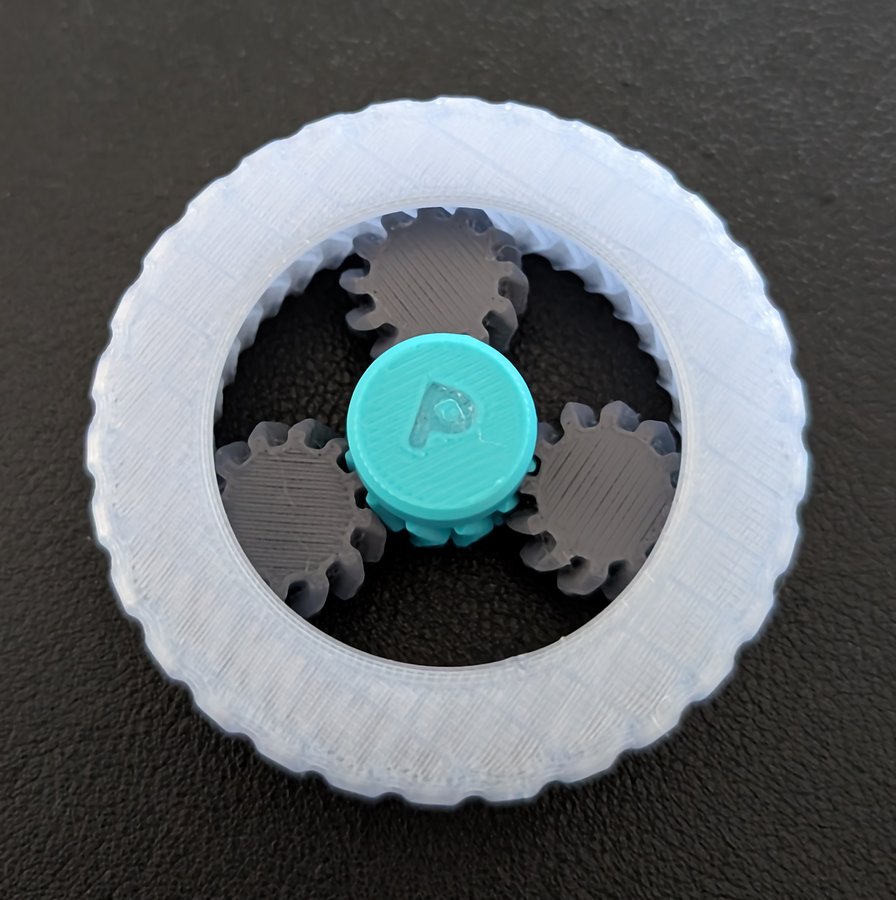
Attempt 8 came off the P2S with crisp teeth and clean gaps, and it turned. It also came apart in my hand. Fila went back to the model with a tougher escape test that moves gears together, tilts them, and keeps going after one part leaves. It failed attempt 8 in the order the photos suggest, with the sun out the top first and then the planets. The first escape test moved one gear at a time with everything else held in place, and the print showed us that real hands move everything at once.
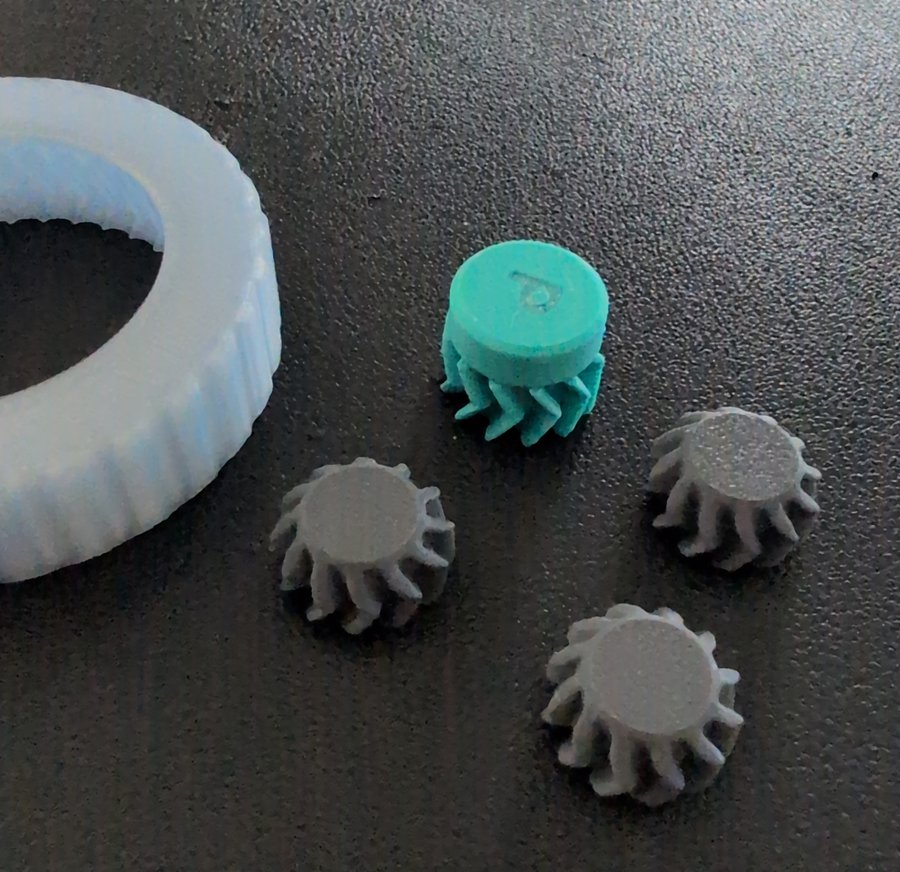
Attempt 9: it holds, with a rattle
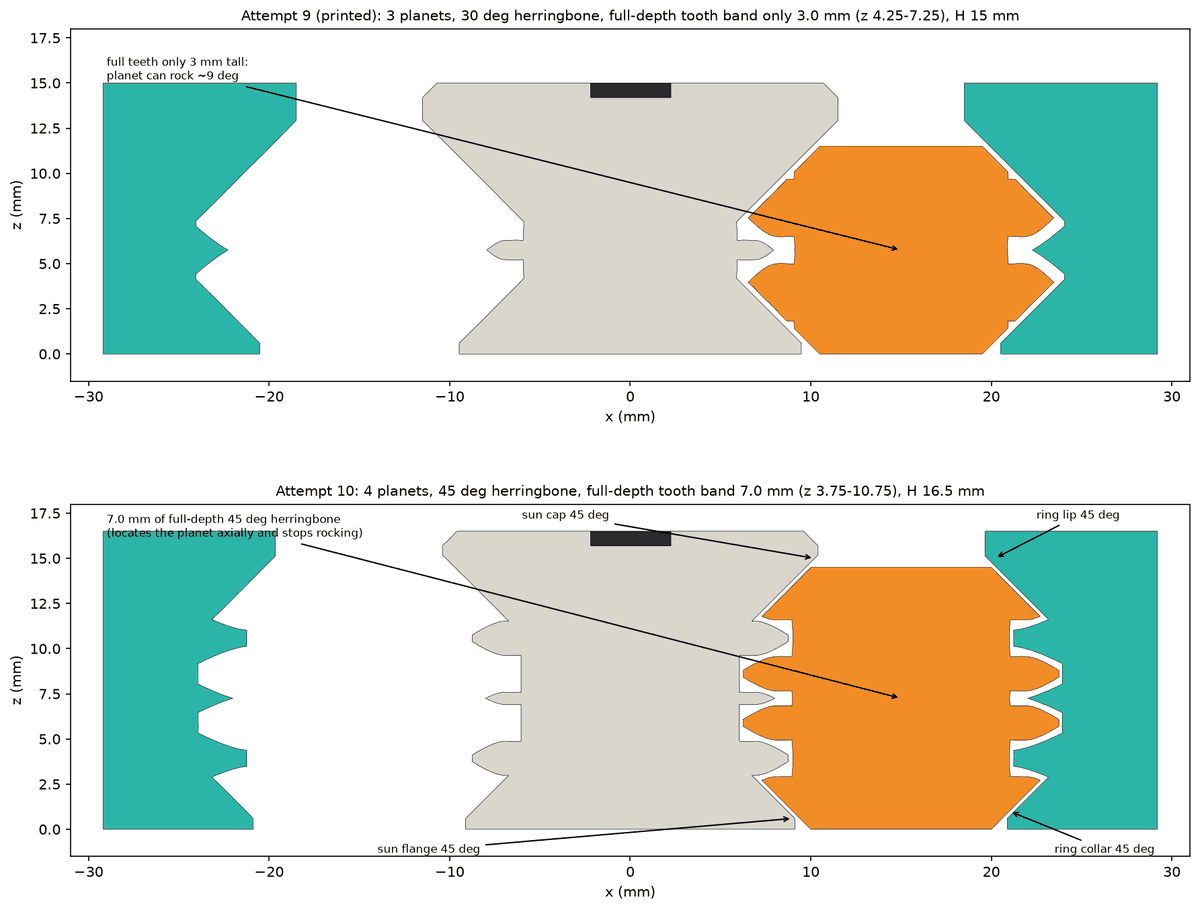
Attempt 9 wraps each planet in a V-groove, with a ring collar and a new sun flange underneath and the ring lip and sun cap above, all on 45 degree cones. Each planet is now held by two parts in each direction. I printed it in one colour, and it held together. It also had about 1 mm of play up and down and side to side, enough for the teeth to slip out of mesh.
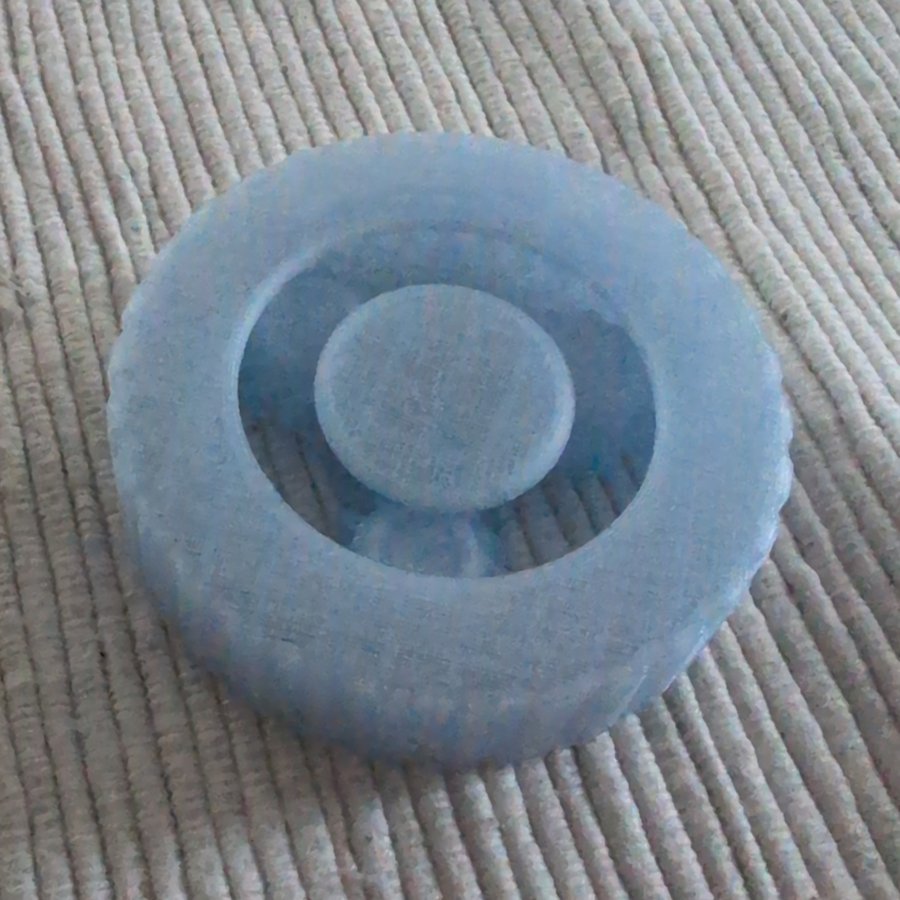
Fila wrote a new play analysis that lets every part move at once to find the worst case. Four things added up:
- The gaps stacked up in a chain. The sun only touches the planets, so every gap between the sun and the ring counts twice.
- The 45 degree faces turned each 0.3 mm gap into about 0.4 mm of up and down travel.
- With only three planets, the sun could slide sideways into the space between two of them, so a planet could pull 1.6 mm away from the ring.
- Only 3 mm of each tooth was full height, so a planet could rock about 9 degrees.
What changed in attempt 10
Fila tried the easy routes first. Four planets at the brief's 0.3 mm gaps helped, and a taller part barely moved the numbers. Every remaining term was a gap in series, so the gap itself was the lever. Attempt 10 brings:
- four planets, so the sun has less room to wander
- steeper 45 degree herringbone teeth, at full height for 7 mm
- every gap tightened to 0.20 mm, below the brief's 0.3 mm. That number came from community guidance, so I lifted it.
In the model's worst case, from attempt 9 to attempt 10, with every part shifted the worst way at once:
- planet up and down: 2.2 mm to 1.0 mm
- planet side to side: 2.0 mm to 0.8 mm
- planet pull-away from the ring: 1.6 mm to 0.6 mm
A tighter gap is a bet on the printer, so Fila also designed a 16 minute test coupon with discs at 0.15, 0.20 and 0.25 mm, to print before the full part. If the 0.20 disc spins free, the 0.20 design is good to go.
Attempt 10: it purrs
I printed attempt 10 in one colour grey at 0.20 mm gaps. The slicer had it at 1 hour 19 minutes and 25 g of filament. It prints in one piece with no supports, and it spins like this straight off the printer. The moment it came off the printer, I said, "That version is perfect. Spins perfectly, almost no slack play in the mechanism."
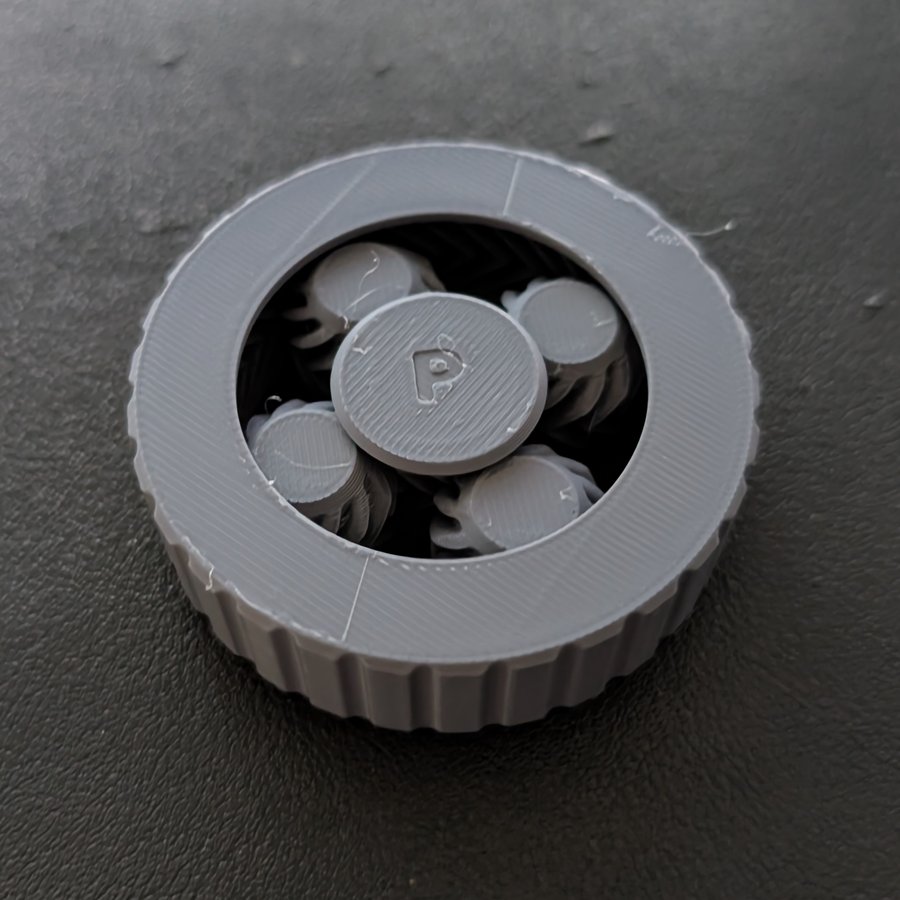
Print your own
Download the Orbit Gearwheel 3MF (attempt 10, 0.20 mm gaps, 1.3 MB), and the gap test coupon STL.
Print tips: print it in one piece with no supports at 0.20 mm gaps, about 1 hour 19 minutes and 25 g in one colour on a Bambu P2S, and print the gap test coupon first if your printer runs tight.
6. Keep every attempt
Every attempt script, build log and check result stays in the project, all ten of them. The record of what failed and why is as useful as the final part, and it lets me rerun the history whenever a check changes.
7. Price the colours in the slicer before you choose them
Fila sliced attempt 10 with the Bambu Studio command line and the official P2S profiles. In four colours, the slicer reports 6 hours 20 minutes, 109 g of filament and 160 filament changes. In one colour, it's 1 hour 19 minutes and 25 g. That's about 84 g more filament for the same part, spent on the colour changes.